6. Create pointer - Batch upload
Basic description
After creating pointers, it is necessary to upload the pointer files one by one to the software. Due to the fact that a complete pointer (adapted to multiple sizes) can have hundreds of pointers, a quick operation is needed to upload these huge numbers of pointers. For this, we have developed a batch upload function.
File Naming Convention
We match and upload pointers by parsing file names.
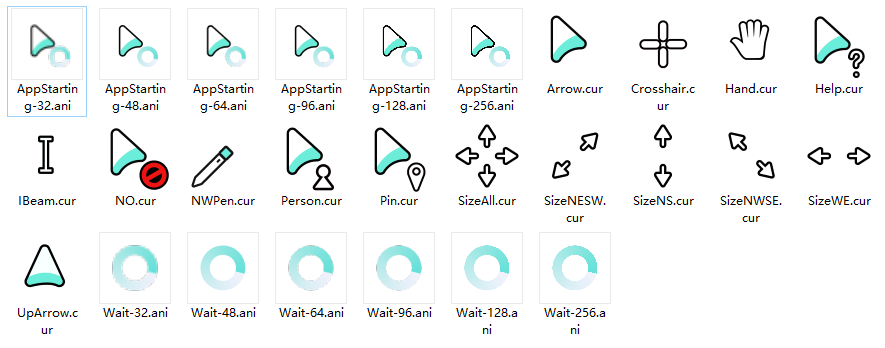
Usually, a CUR file contains multiple size information, so only standard naming is required-" [name].cur "
Due to the fact that ANI files can only contain one pointer information, it is necessary to name them according to different sizes-" [name]-[size].ani "
BE CAREFUL:" [name] " and " [size] " The naming needs to be completely correct in order to be automatically parsed,The " [size] " of the ANI file needs to be consistent with the size set when creating the pointer file.
For incorrectly named pointers, they are usually ignored during batch processing, and if there are pointers that require overwriting behavior, they are also ignored.
Simultaneously supporting multiple languages, using Arrow as an example:
language | Example of CUR file | Example of ANI file |
|---|---|---|
繁體中文 | 正常選擇.cur | 正常選擇-32.ani 正常選擇-48.ani |
简体中文 | 正常选择.cur | 正常选择-32.ani 正常选择-48.ani |
English | Arrow.cur | Arrow-32.ani Arrow-48.ani |
Русский язык | Нормальный выбор.cur | Нормальный выбор-32.ani Нормальный выбор-48.ani |
日本語 | 通常の選択.cur | 通常の選択-32.ani 通常の選択-48.ani |
List of supported names
繁體中文
名稱 |
|---|
正常選擇 |
幫助選擇 |
後臺運行 |
忙 |
精確選擇 |
文本選擇 |
手寫 |
不可用 |
垂直調整大小 |
水平調整大小 |
沿對角線調整大小1 |
沿對角線調整大小2 |
移動 |
候選 |
鏈接選擇 |
位置選擇 |
個人選擇 |
简体中文
名称 |
|---|
正常选择 |
帮助选择 |
后台运行 |
忙 |
精确选择 |
文本选择 |
手写 |
不可用 |
垂直调整大小 |
水平调整大小 |
沿对角线调整大小1 |
沿对角线调整大小2 |
移动 |
候选 |
链接选择 |
位置选择 |
个人选择 |
English
name |
|---|
Arrow |
Help |
AppStarting |
Wait |
Crosshair |
IBeam |
NWPen |
NO |
SizeNS |
SizeWE |
SizeNWSE |
SizeNESW |
SizeAll |
UpArrow |
Hand |
Pin |
Person |
Русский язык
Имя |
|---|
Нормальный выбор |
Помощь в выборе |
Фоновая работа |
Занято |
Точный выбор |
Выбор текста |
Рукопись |
Не используется |
Вертикальная настройка размера |
Изменить размер по горизонтали |
Изменить размер 1 по диагонали |
Изменить размер 2 по диагонали |
Переместить |
Кандидаты |
Выбор ссылок |
Выбор местоположения |
Индивидуальный выбор |
日本語
の名前をあげる |
|---|
通常の選択 |
ヘルプの選択 |
バックグラウンド実行 |
忙しい |
正確な選択 |
テキスト選択 |
手書き |
使用できません |
垂直方向のサイズ変更 |
水平方向のサイズ変更 |
対角線に沿ったサイズ変更1 |
対角線に沿ったサイズ変更2 |
移動 |
候補 |
リンク選択 |
位置選択 |
個人の選択 |
Operating instructions
Naming pointer files - put them into a folder

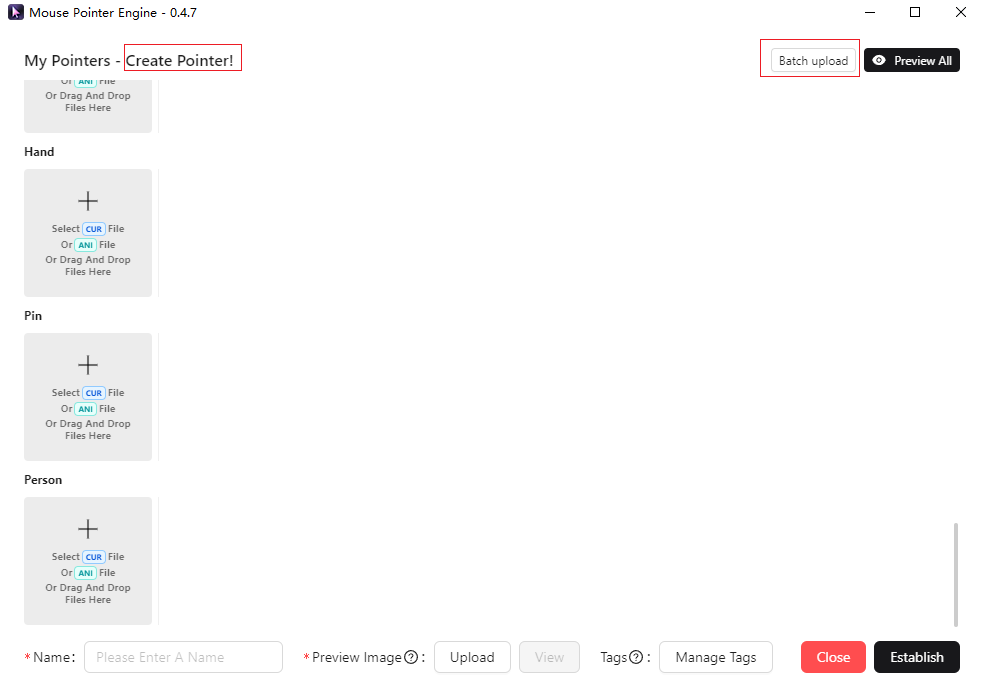
In creating pointers - select batch upload (not available when updating pointers)
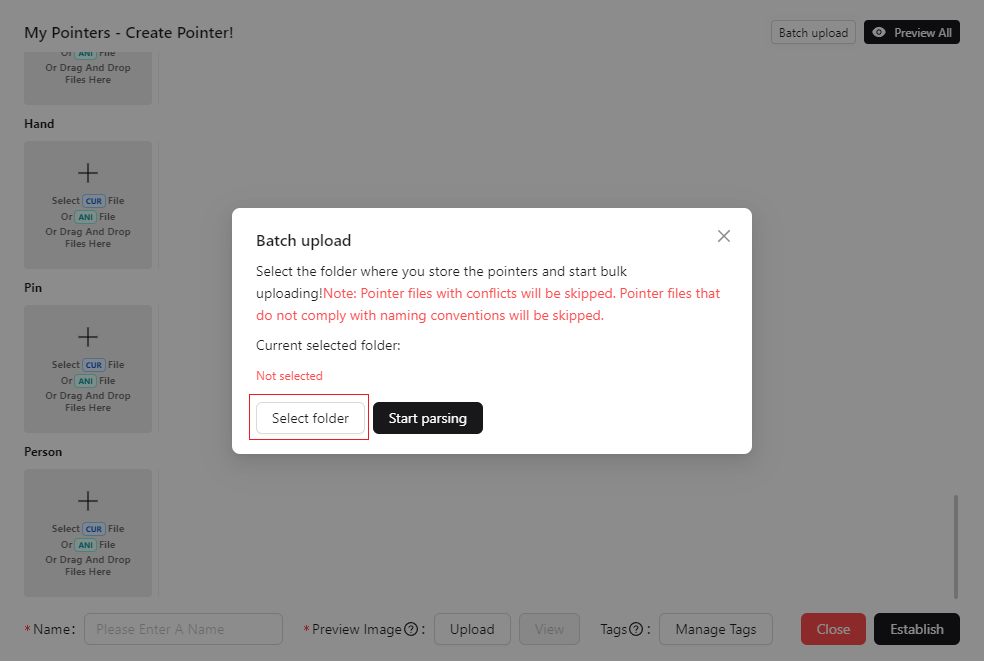
Select the folder where you store pointers
Click the start parsing button
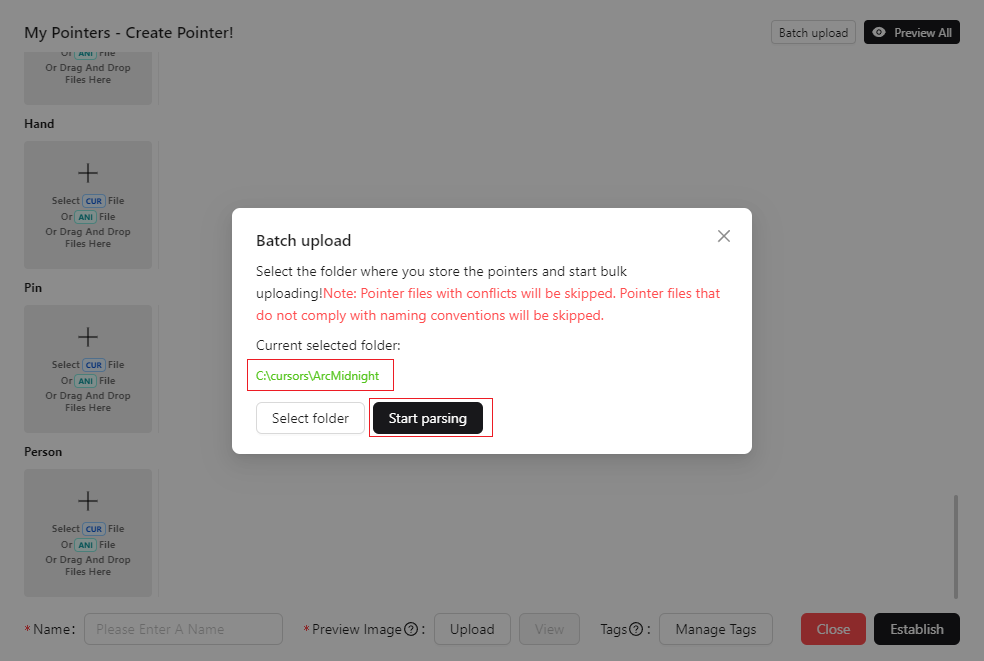
Waiting for parsing to complete - batch upload can be completed
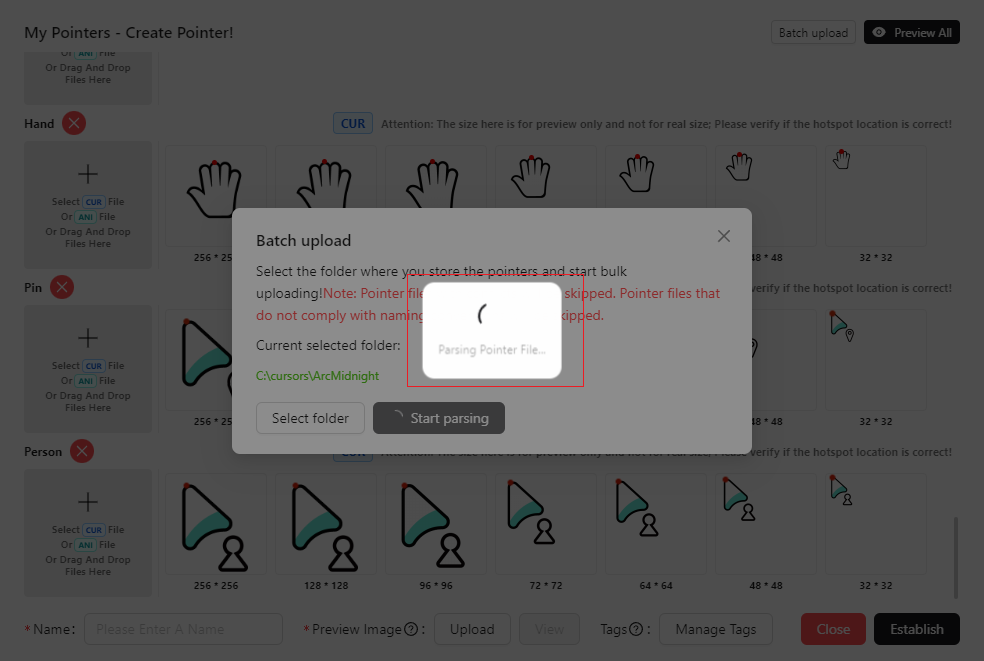
Example file